Winter break review pack: print the same skill check in December and again in January
Winter break is a long gap in the school routine. Christmas falls on Friday, December 25, 2026, and New Year’s Day on Friday, January 1, 2027, so many school calendars break for one to two weeks around those dates. After Thanksgiving break (Thursday, November 26, 2026), many classrooms have only about three weeks of school left before winter break starts. If you want to plan the stretch before break now, this post shows one simple idea: print a short mixed review pack in December, then reprint the exact same pages in January to see which skills held up.
This is skill practice, not seasonal decoration. The pages below are ordinary SkillSprout review pages. They do not have snowflakes, holiday art, or themed borders.
Why use the same pages twice
Many special education teachers send home a skill maintenance packet over break or run a short review the first week back. Using the same pages before and after break gives you a simple comparison on paper: same questions, same order, same response format. You are not testing anything new. You are checking which skills a student still does the way they did in December.
SkillSprout makes this possible because every page has a worksheet version number in its footer. When you choose the same skills and settings and enter the same version number, the studio prints the same questions again. Write the number on your plan or the folder so you can reprint the pages in January.
A Grade 4 pack: three math skills and two reading skills
The mixed skill review pack maker combines one to five ready K–6 special-ed activities. Each skill prints on its own page, and the answer keys come after all the student pages.
This sample is a Grade 4 pack with five skills, 3 questions per skill, write-in answers, high visual support, and worksheet version 12345:
- Add and subtract two-digit numbers (M.EE.4.NBT.4)
- Compare numbers using <, >, and = (M.EE.4.NBT.2)
- Read an analog clock to the hour (M.EE.4.MD.2.a)
- Identify a character and setting (ELA.EE.RL.4.3)
- Use regular plural nouns (ELA.EE.L.4.1)
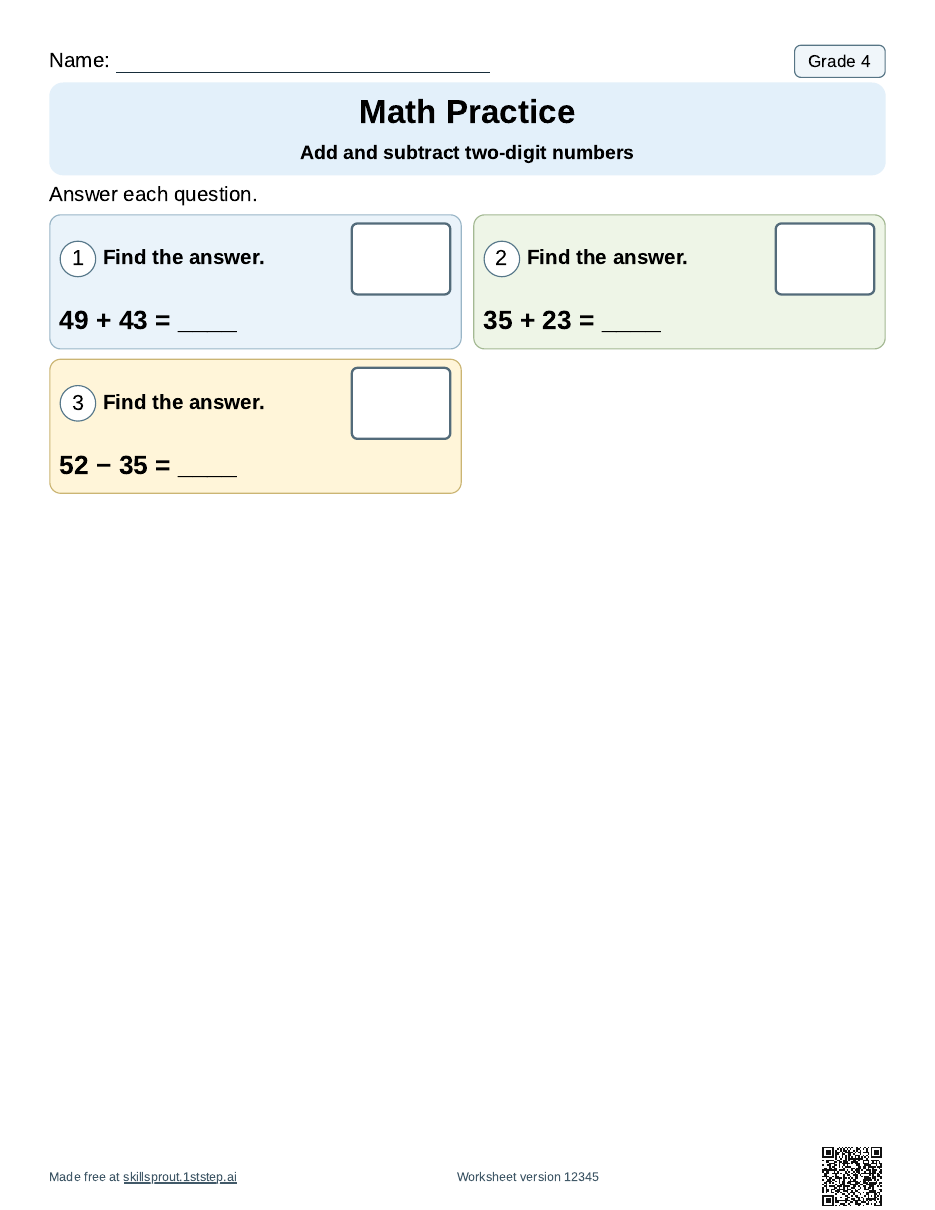
The first page has three problems: 49 + 43, 35 + 23, and 52 − 35.
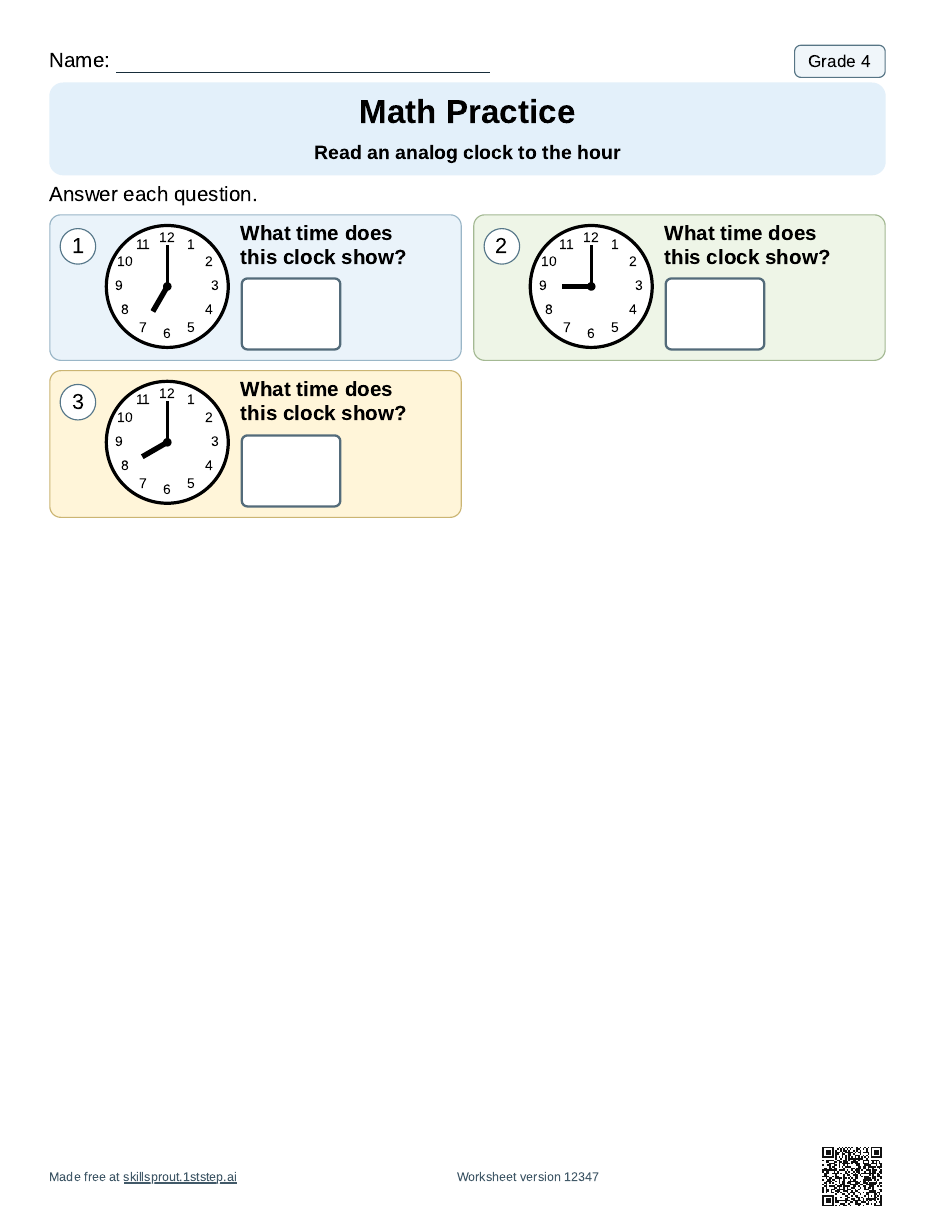
The clock page shows analog clocks at 7:00, 9:00, and 8:00.
The compare page asks students to put <, >, or = between pairs such as 8 and 8, 8 and 10, and 8 and 3. The reading page has a short passage, “Helping a Friend,” with questions about a character and where the story happens. The last page asks students to finish plurals such as “One kite. Two ____.”
Answer keys make the January check quick
Each answer key prints after the student pages and names the skill, the Essential Element code, and the worksheet version. Because the January reprint uses the same version numbers, the same keys work both times.
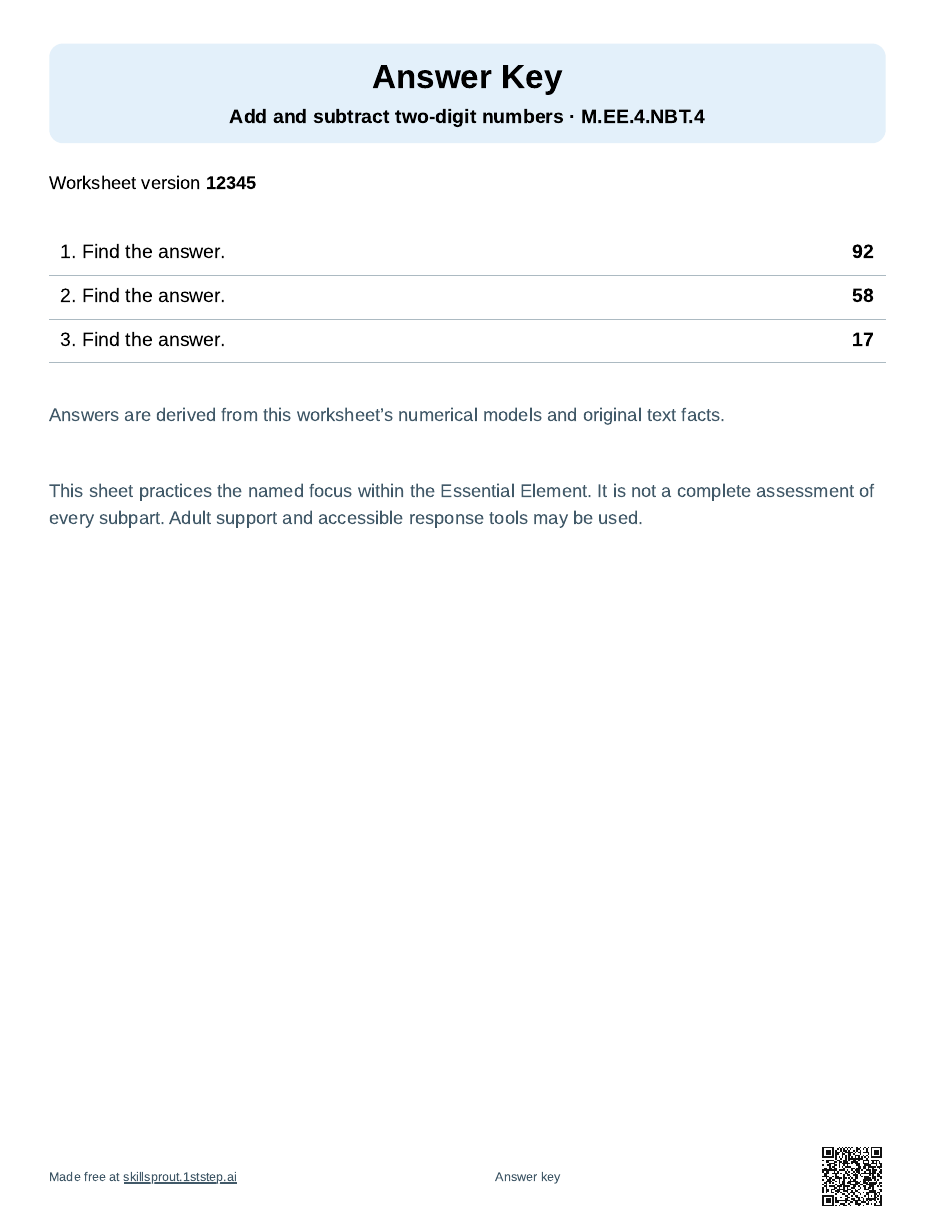
Keep the keys separate from student copies, especially if any pages go home over break.
Note what held up on a blank data sheet
If you want to write down the December and January results side by side, the blank classroom data sheet maker prints an empty recording sheet. This one uses accuracy, 5 rows, and 3 trials: one column for each question on a 3-question page, and a row for each date you check.
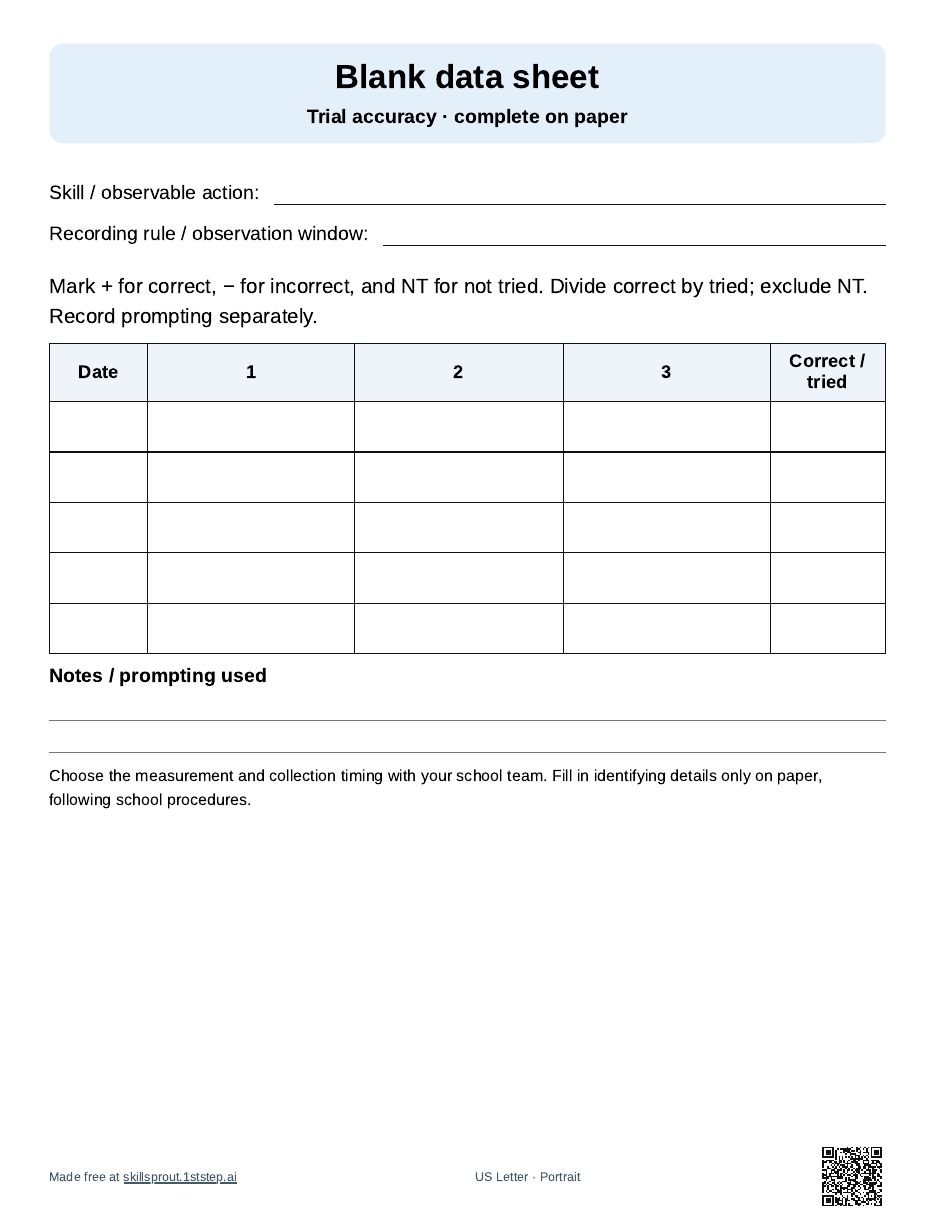
One simple way to use it: print one sheet per skill and write the skill on the Skill line. Use one row for the December check and another for the January check, mark each question + or − on paper, and fill in correct / tried. The sheet only gives you spaces to record. It does not choose goals or interpret progress, and nothing you write on it goes into the app. Fill in identifying details only on paper, following your school’s procedures.
How to make the pack
- Open the SkillSprout studio. The studio uses Google sign-in. The tool and worksheet pages linked above are public to browse.
- Choose the review pack, open Add or change skills, browse Grade 4 (or your grade), and check up to five skills your class has already practiced this fall.
- Set Questions per skill and Response format, and keep Include answer keys and teacher guides checked. Under More options, enter worksheet version 12345 to print these exact pages, or keep your own number and write it down.
- Press Generate Review Pack, check every page in the preview, then print or download the PDF.
- In January, repeat the same steps with the same skills, settings, and version number to print the same pages again.
Each skill in the pack uses the next version number (12345 through 12349 here), printed in the page footer. Make Another Review Pack gives new questions with the same skills, which is useful for extra practice but not for a same-page comparison.
Ideas for other grades
The same plan works from K to 6. Pick review skills, not new ones. All ready skills are listed on the worksheets page, and more Grade 4 practice is on Grade 4 math worksheets and Grade 4 ELA worksheets.
Name lines print blank, and no student information goes into the builder.