Thanksgiving week review packs: low-prep printable math and ELA for the short week
For the short week before Thanksgiving break, a mixed review pack is a low-prep option: in the SkillSprout studio you pick up to five ready K–6 math and ELA activities, and they print as one pack with each skill on its own page and the answer keys after the student pages. Thanksgiving is Thursday, November 26, 2026, so many classrooms have only Monday, November 23, through Wednesday, November 25, before break. This post shows a real Grade 2 pack you can reprint with the same settings.
What a review pack is
The review pack maker combines one to five special-ed activities for grades K–6. Each skill keeps its own page, title, and context. You choose the response format (write-in, multiple choice, or cut and paste), how many questions each skill gets (up to 10, and some skills have fewer), visual support, and color or grayscale. Student pages print first. Answer keys and Teacher Guides print after them when Include answer keys and teacher guides is checked.
Because the pack mixes skills, it works for review of things already taught this fall rather than new instruction.
A Grade 2 pack: three math skills and two ELA skills
This pack uses five Grade 2 skills, 3 questions per skill, write-in answers, and worksheet version 12345:
- Add and subtract within 20
- Recognize coins and their values
- Read an hour on a digital clock
- Answer who and where questions
- Use regular plural nouns
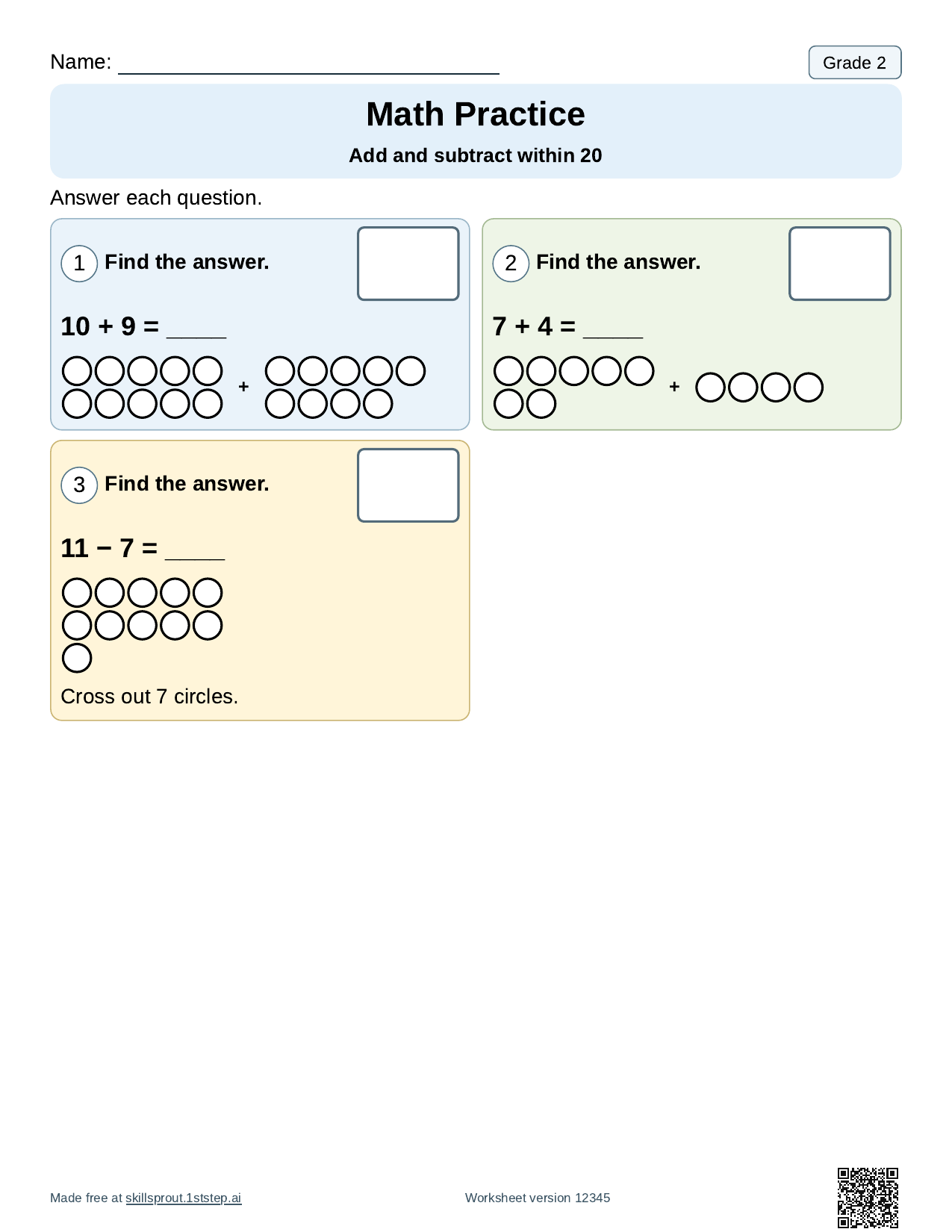
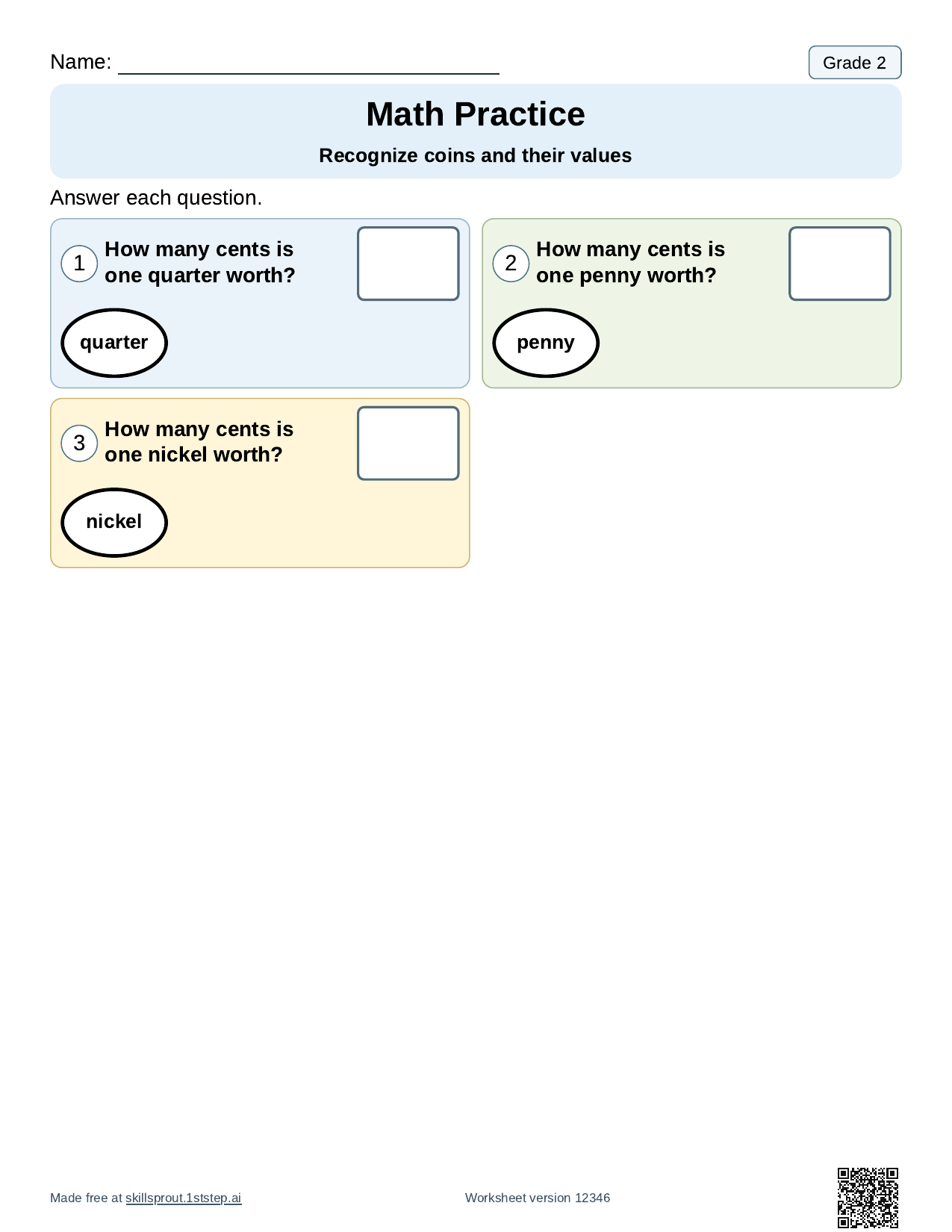
The first page has three problems: 10 + 9, 7 + 4, and 11 − 7, with a picture model for each. The coins page asks how many cents a quarter, a penny, and a nickel are worth.
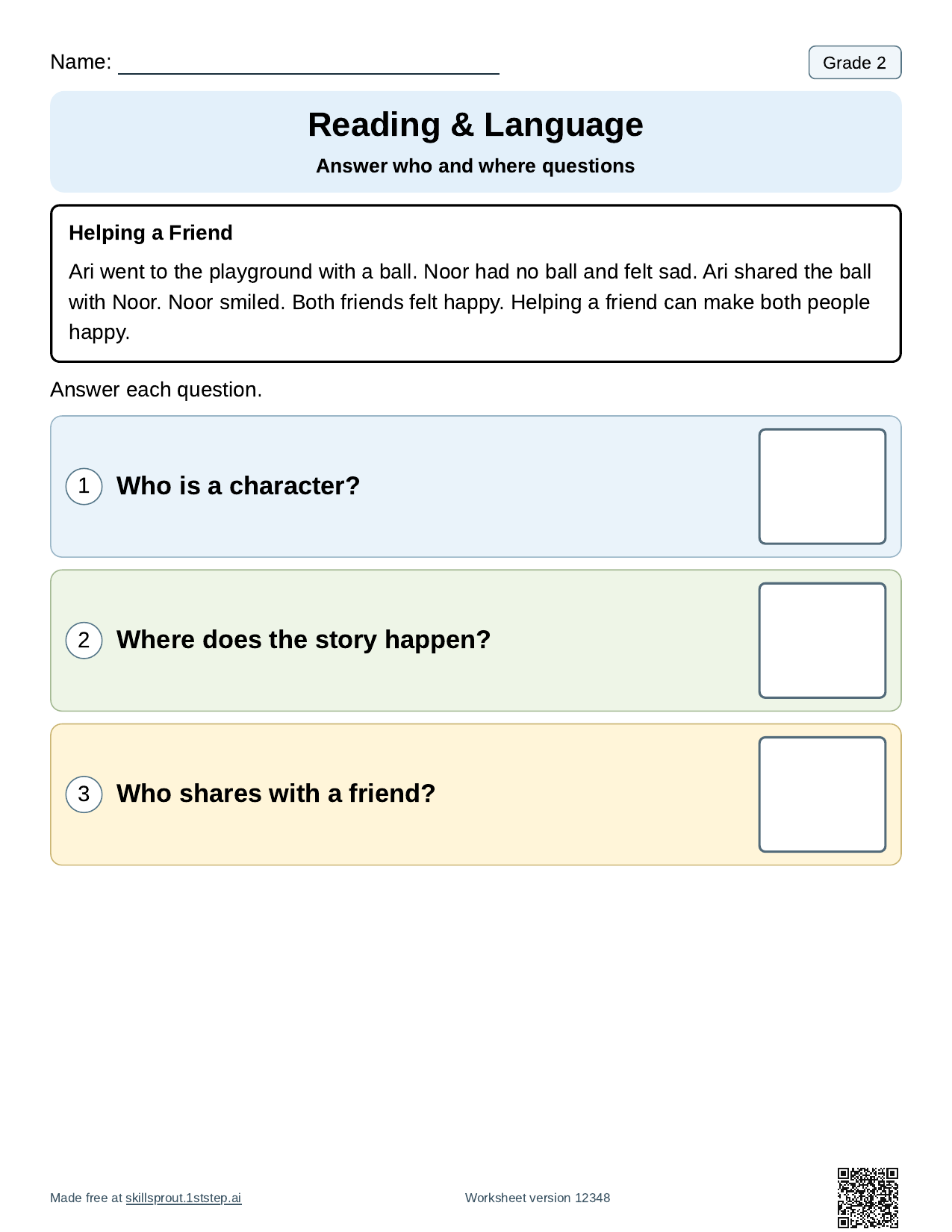
The clock page shows 7:00, 9:00, and 8:00 on digital clocks. The reading page has a short story, "Helping a Friend," with three questions: who is a character, where the story happens, and who shares with a friend. The last page asks students to complete plurals such as "One kite. Two ____."
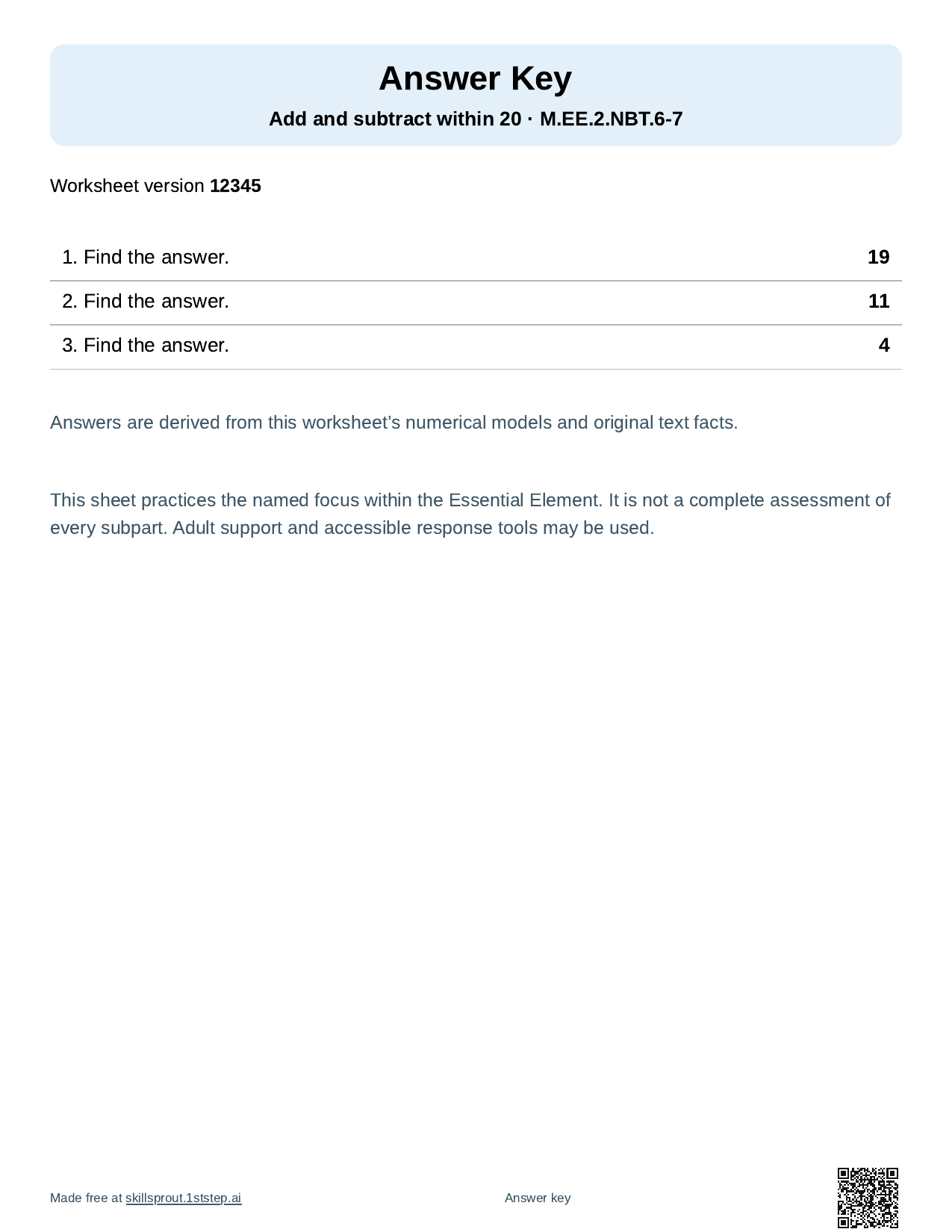
After the five student pages come five answer keys, one per skill. Each key is calculated from the same sheet, so it matches what students see.
How to make this pack
- Open the SkillSprout studio and choose the review pack. The studio uses Google sign-in.
- Open Add or change skills, browse Grade 2, and check the five skills above. The counter stops at 5.
- Set Questions per skill to 3 and Response format to write-in.
- Under More options, enter worksheet version 12345 to print these exact pages, or keep your own number.
- Press Generate Review Pack, check each skill in the preview, then print or download the PDF.
Each skill in the pack uses the next version number (12345, 12346, and so on), which prints on its page footer. Make Another Review Pack gives a new set of questions with the same skills.
Ideas for other grades
The same steps work for any grade from K to 6. Pick skills your class has already practiced this fall, such as Grade 3 answer who and what questions or Grade 2 order story events. All ready skills are listed on the worksheets page. Some activities are marked Guided activity; those use open responses and a Teacher Guide and may need a text or materials you choose.
No student names, diagnoses, or student work are required. The name line prints blank.