Free IEP goal practice worksheets: matching printables to a skill
When an IEP goal names a specific skill, you usually need a few clean practice pages that target exactly that skill and nothing extra. SkillSprout does not write IEP goals and does not track students. What it can do is print focused practice for one skill at a time, with an answer key, so you can match a sheet to a goal you have already written.
1. Find the skill, not the worksheet
Start from the skill in the goal. If your goals follow the DLM Essential Elements, browse by grade on the worksheets page; inside the studio, the skill picker also has a Search option. Each skill page quotes the published wording so you can compare it with the goal.
For example, a goal about adding equal groups lines up with M.EE.2.OA.4: "Use addition to find the total number of objects arranged within equal groups up to a total of 10."
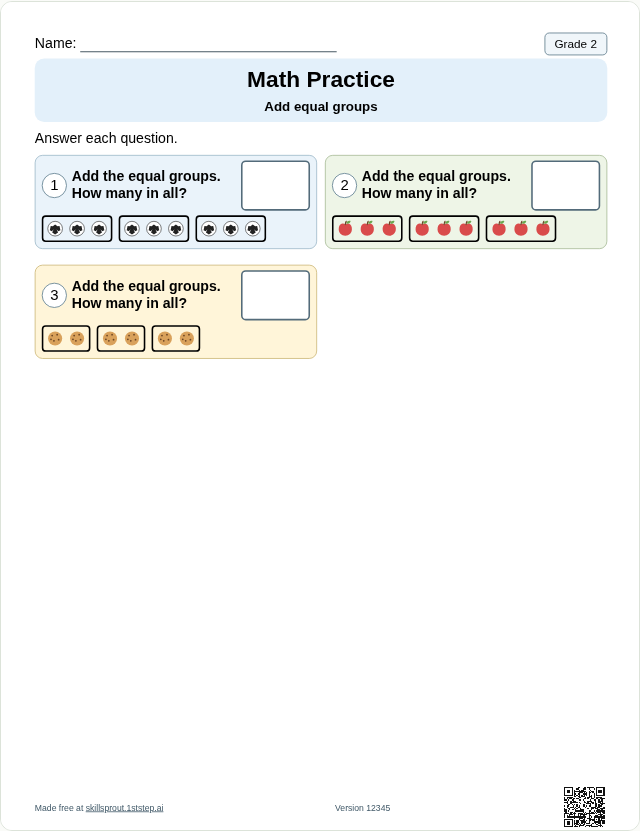
Open the full page: Grade 2 add equal groups.
2. Choose the response format the student uses
In the studio, most checked-answer activities print as write-in, three-option multiple choice, or cut-and-paste. All three use the same problems and the same derived answer key. You can also set visual support and choose Compact or Spacious page layout.
3. Use guided sheets for teacher-led skills
Some skills involve real objects or a partner. For those, SkillSprout prints a guided activity with open response spaces and a Teacher Guide, not a fixed answer key. M.EE.K.CC.5 is one example: "Count out up to three objects from a larger set, pairing each object with one and only one number name to tell how many."
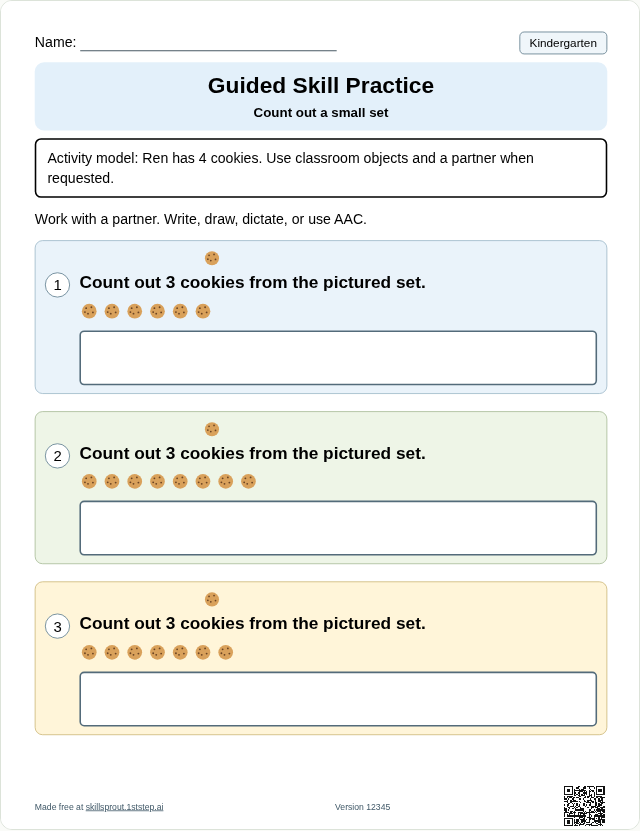
Open the full page: Kindergarten count out a small set.
4. Record trials on paper
If you take accuracy, frequency or duration data, the blank data sheet maker prints recording rows and trial spaces. It does not choose goals, interpret progress or store observations. Write student names and details only on the printed copy, under your school's procedures.
5. Make new versions for repeated practice
Change the worksheet version for different problems at the same skill. Keep the version if you want to reprint the exact same sheet later.
What SkillSprout does not do
- It does not write or recommend IEP goals.
- It does not collect student names, diagnoses or student work. The name line prints blank.
- It does not measure progress. Data and decisions stay with you and your team.
Making and printing a sheet happens in the SkillSprout studio, which uses Google sign-in. The worksheet pages themselves are public to browse.